Run at Logon
You can have your operating system ("OS") automatically run DisplaySwitcher when you log onto your computer.
OSes Break Run at Logon Frequently
Note that OSes often changes their Run at Logon behavior when they do a software update. That frequently breaks applications' ability to enable/disable their Run at Logon installation.
Also consider that the DisplaySwitcher's Installer was able to run with Administrative permissions, and may have been able to enable Run at Logon because of that, but the DisplaySwitcher application may not have Administrative permissions and therefore might not be able to change the enable/disable of Run at Logon.
Manually Set Run at Logon
If DisplaySwitcher fails to enable/disable Run at Logon as described in the previous section, then use the information here to manually configure your OS for your DisplaySwitcher Run at Logon preference.
Linux
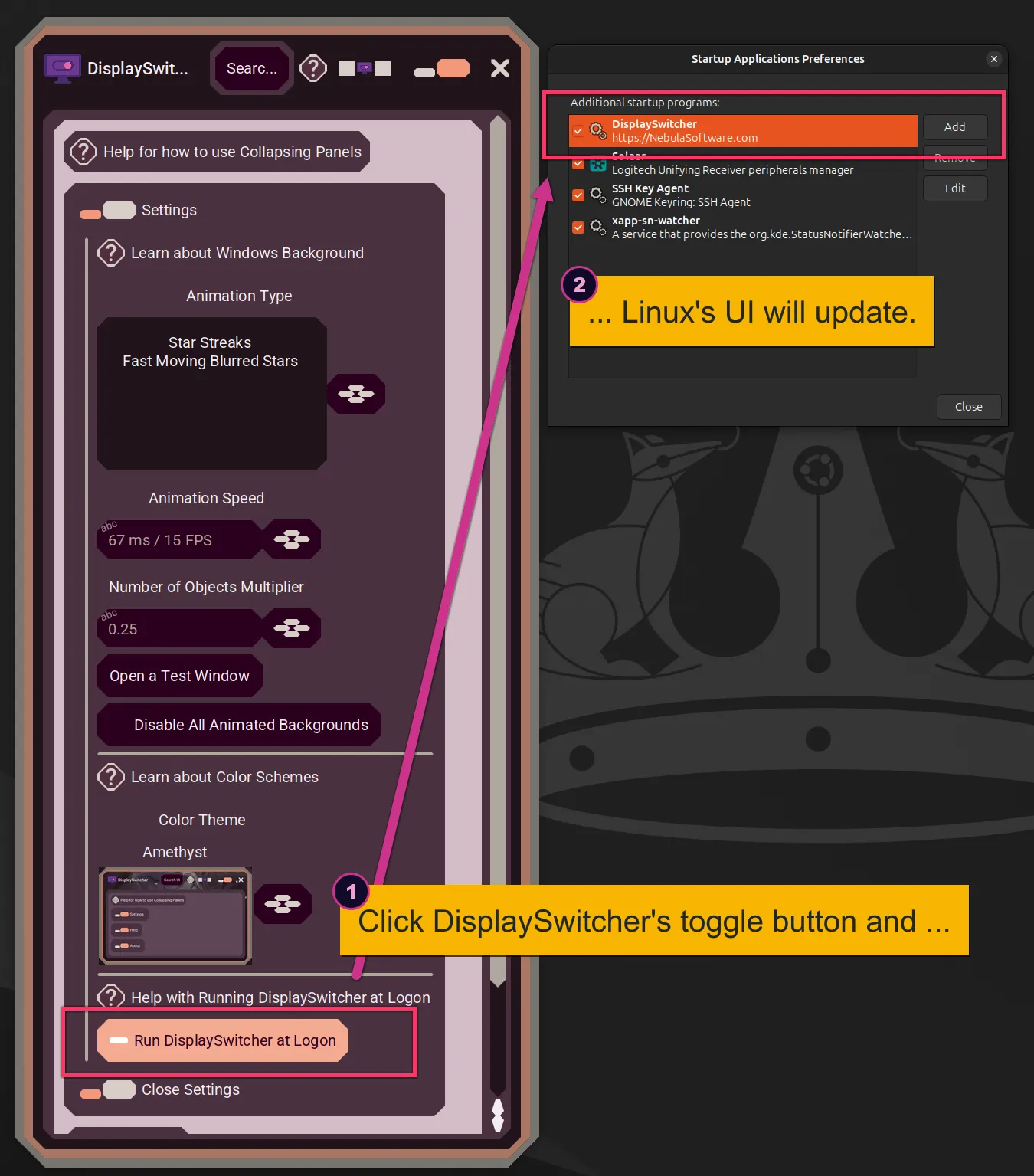
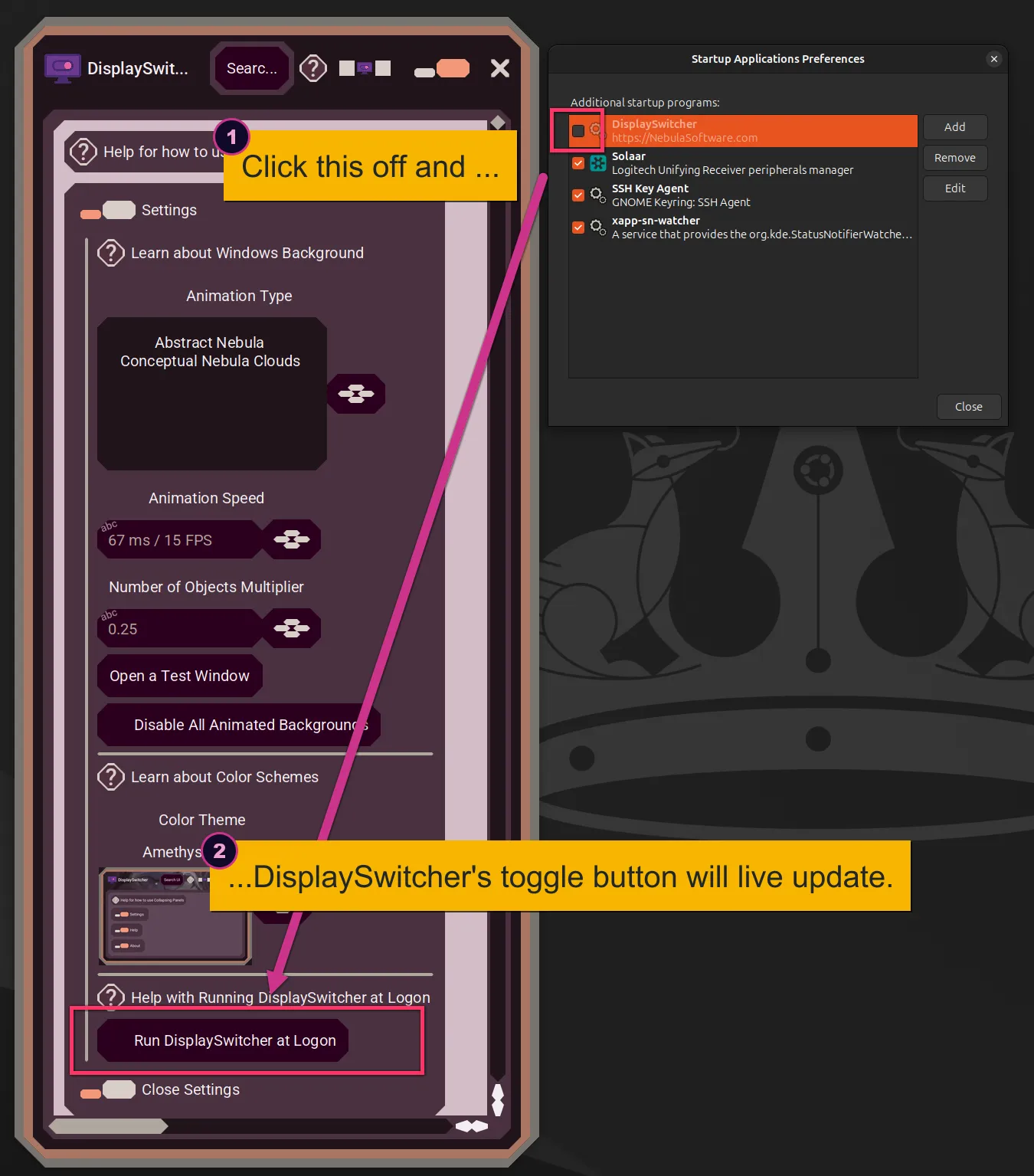
Document: Enable/Disable Run at Logon
DisplaySwitcher and Linux UI Synchronization
Mac
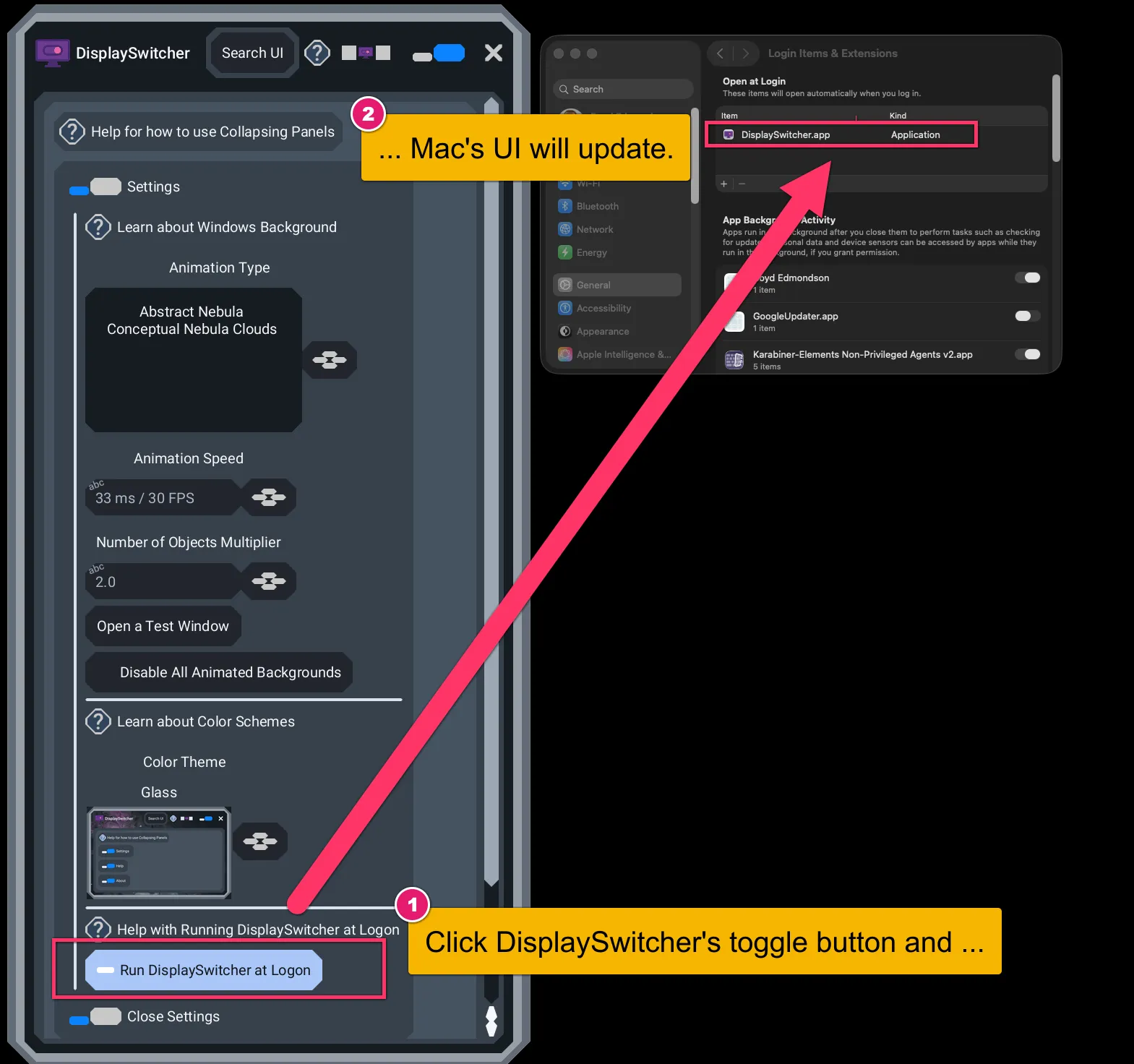
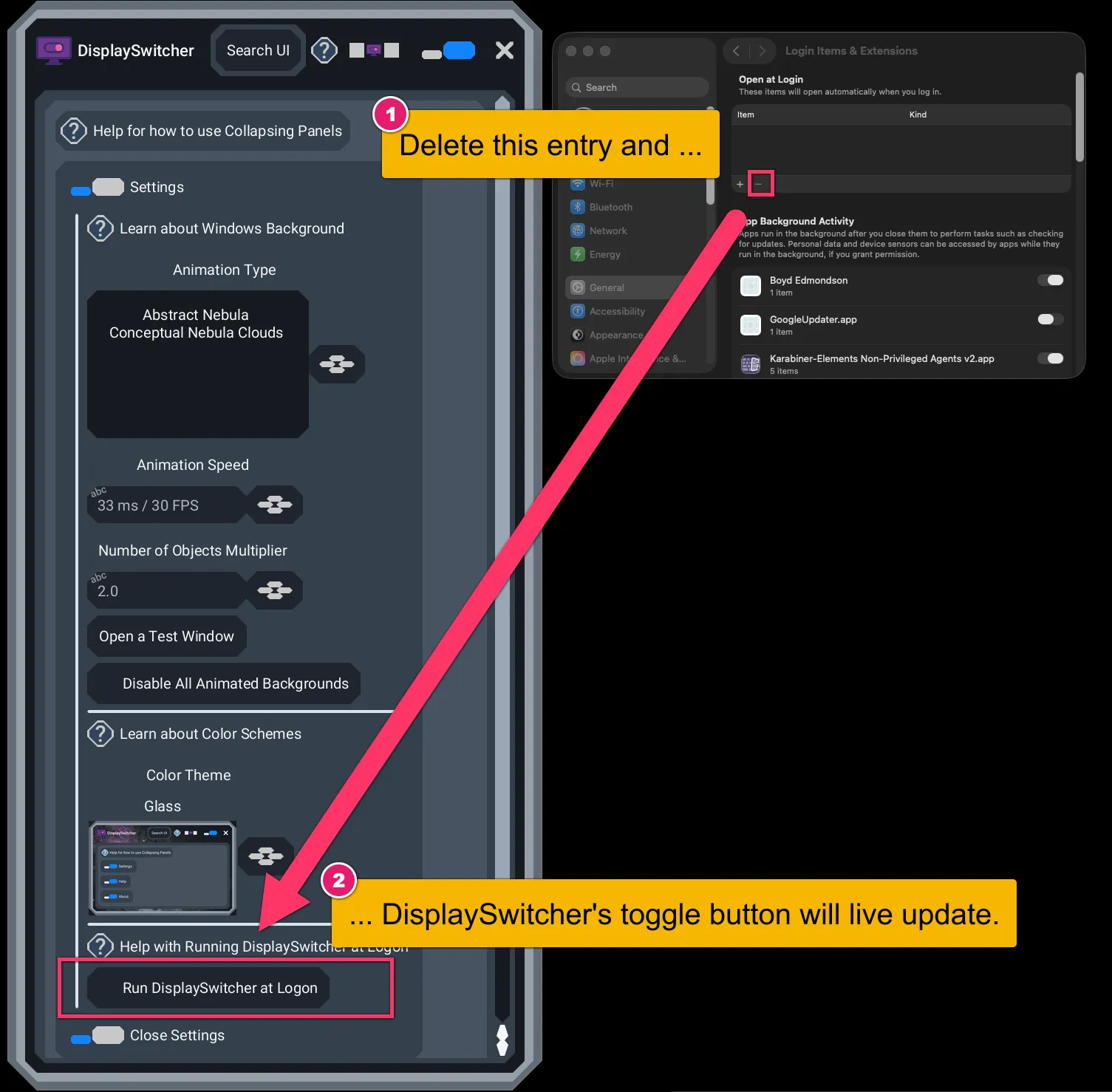
Document: Enable/Disable Open at Login
DisplaySwitcher and Mac UI Synchronization
Windows
Document: Enable/Disable Run at Logon
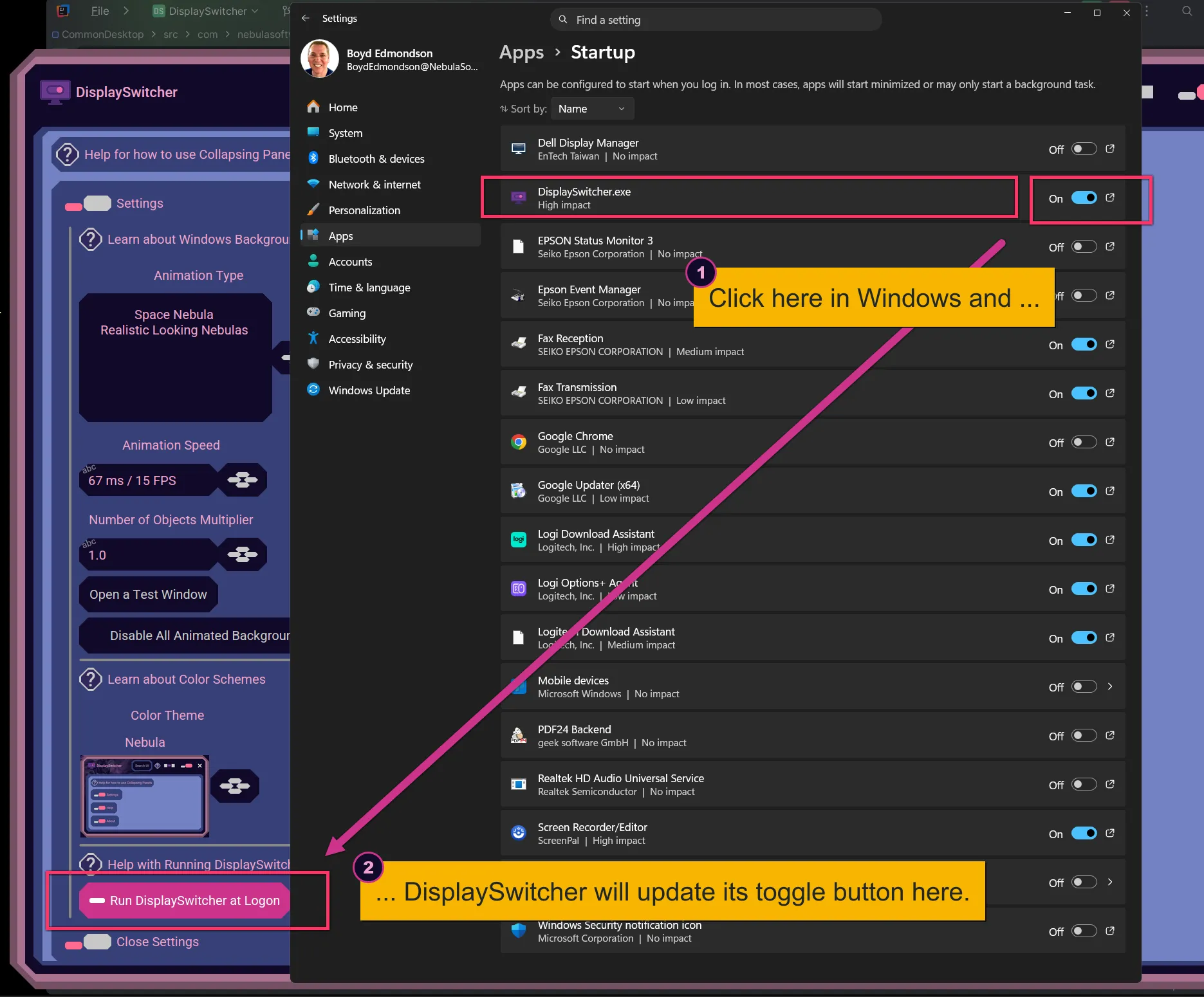
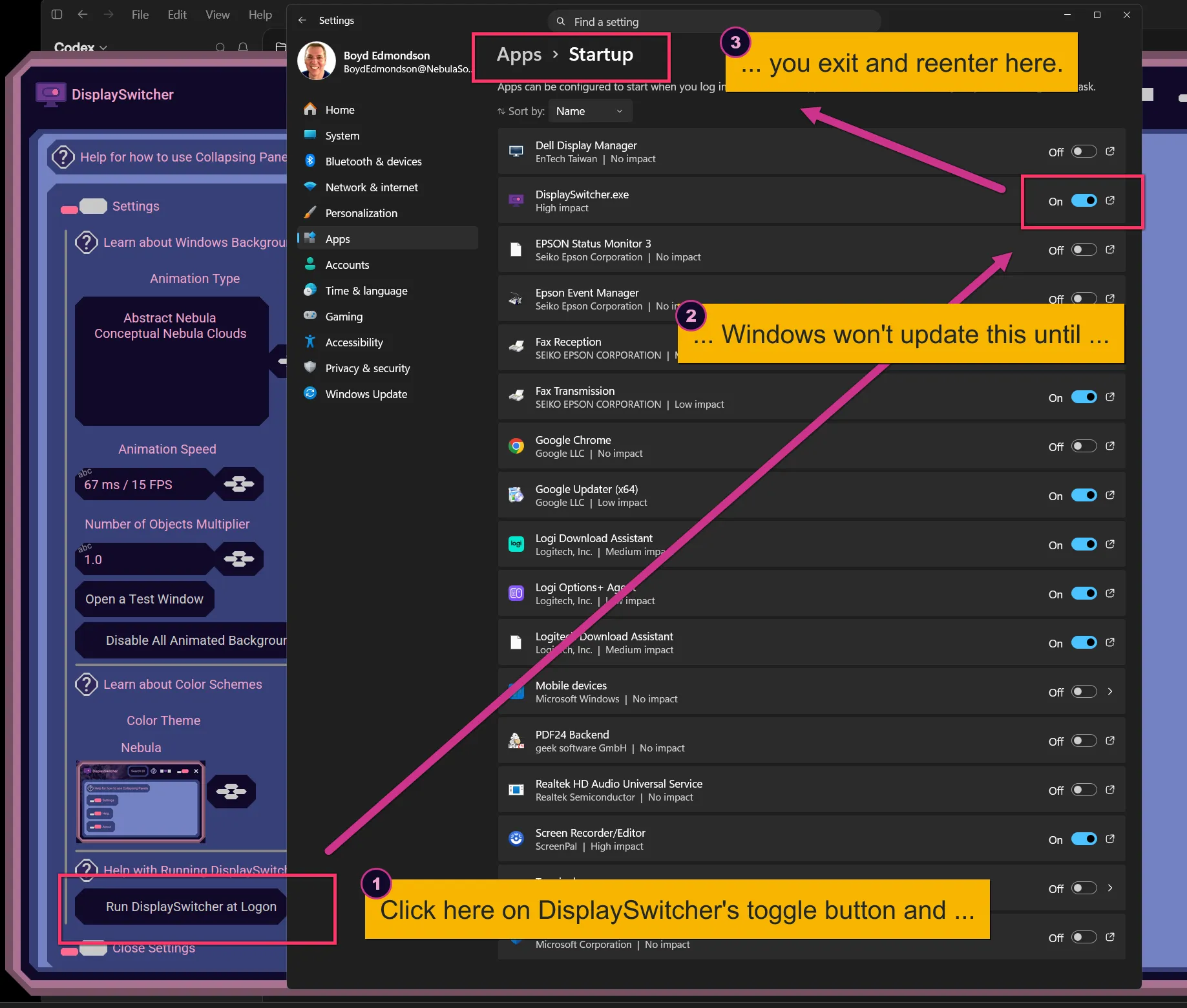
DisplaySwitcher and Windows UI Synchronization
DisplaySwitcher's UI monitors the Windows Settings state, but Windows Settings state does not monitor DisplaySwitcher's state.
If you change Window's Settings on/off value, DisplaySwitcher's toggle button will live update. But, if you change DisplaySwitcher's toggle button, then you have to exit and reenter the Windows Settings UI for Windows to update its UI.