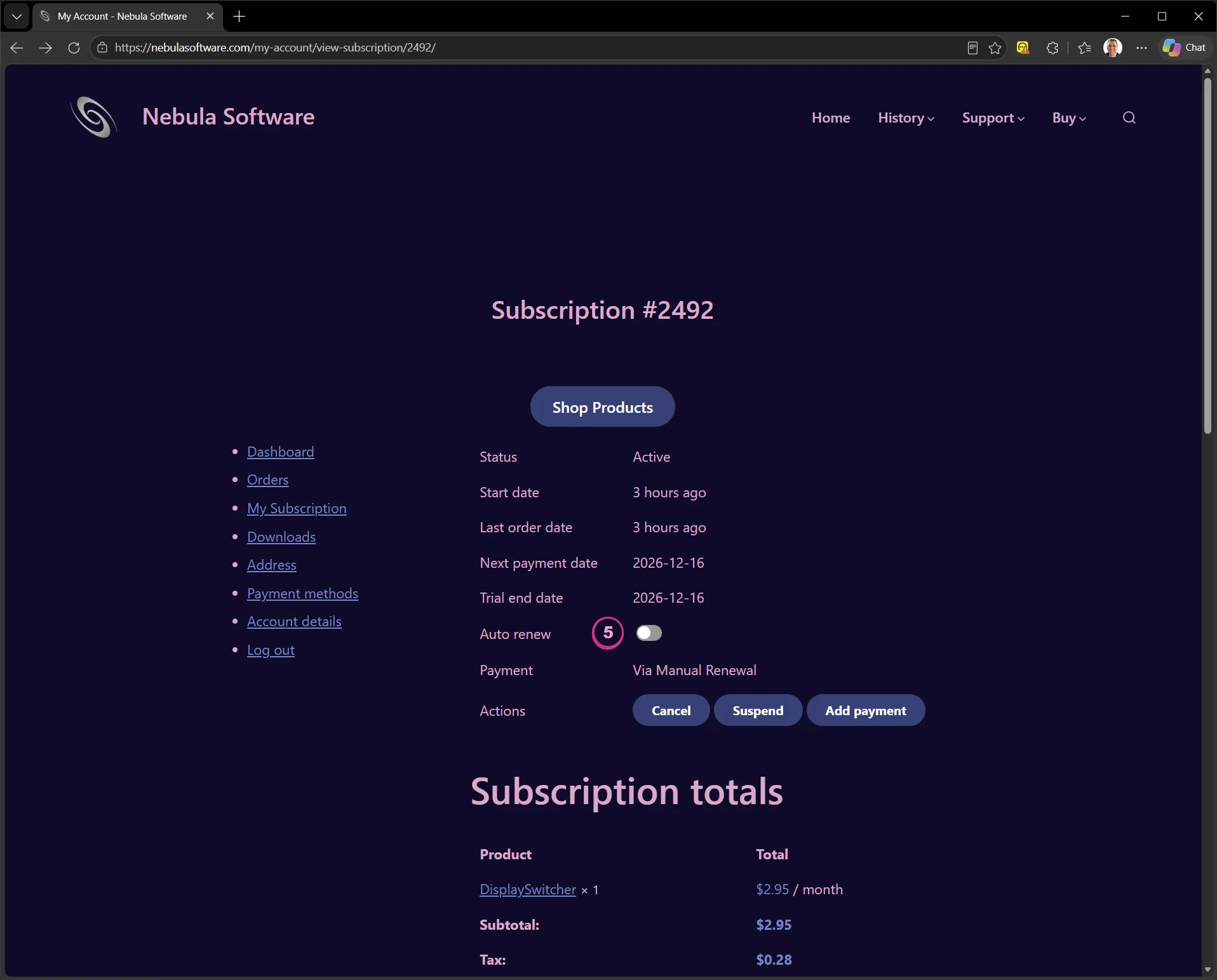
How to Continue Your Subscription After Your Free Trial
Renewal Email
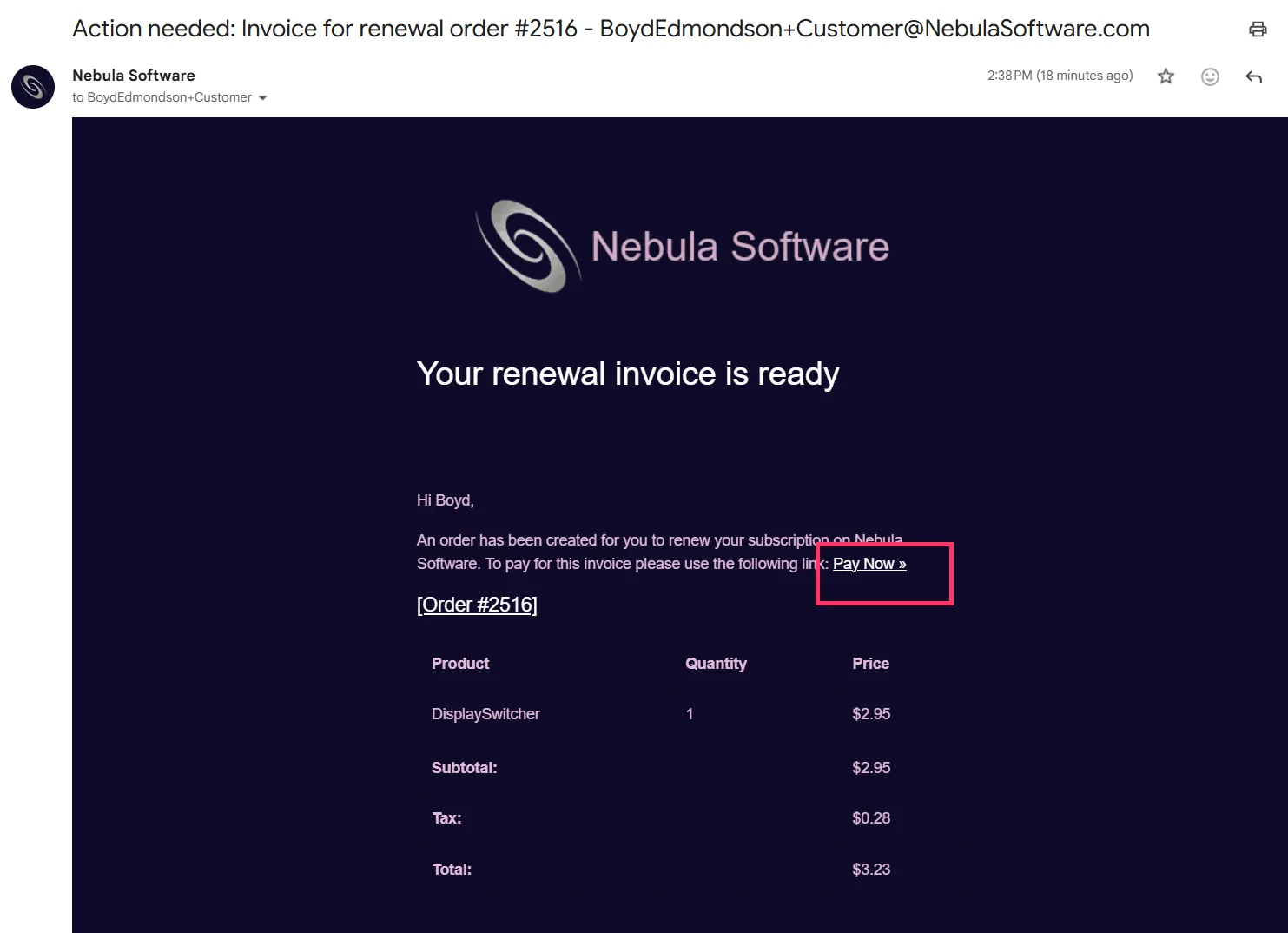
When your free trial is over, you will get an email instructing you to enter your credit card to purchase a subscription. Just use its "Pay Now" link.
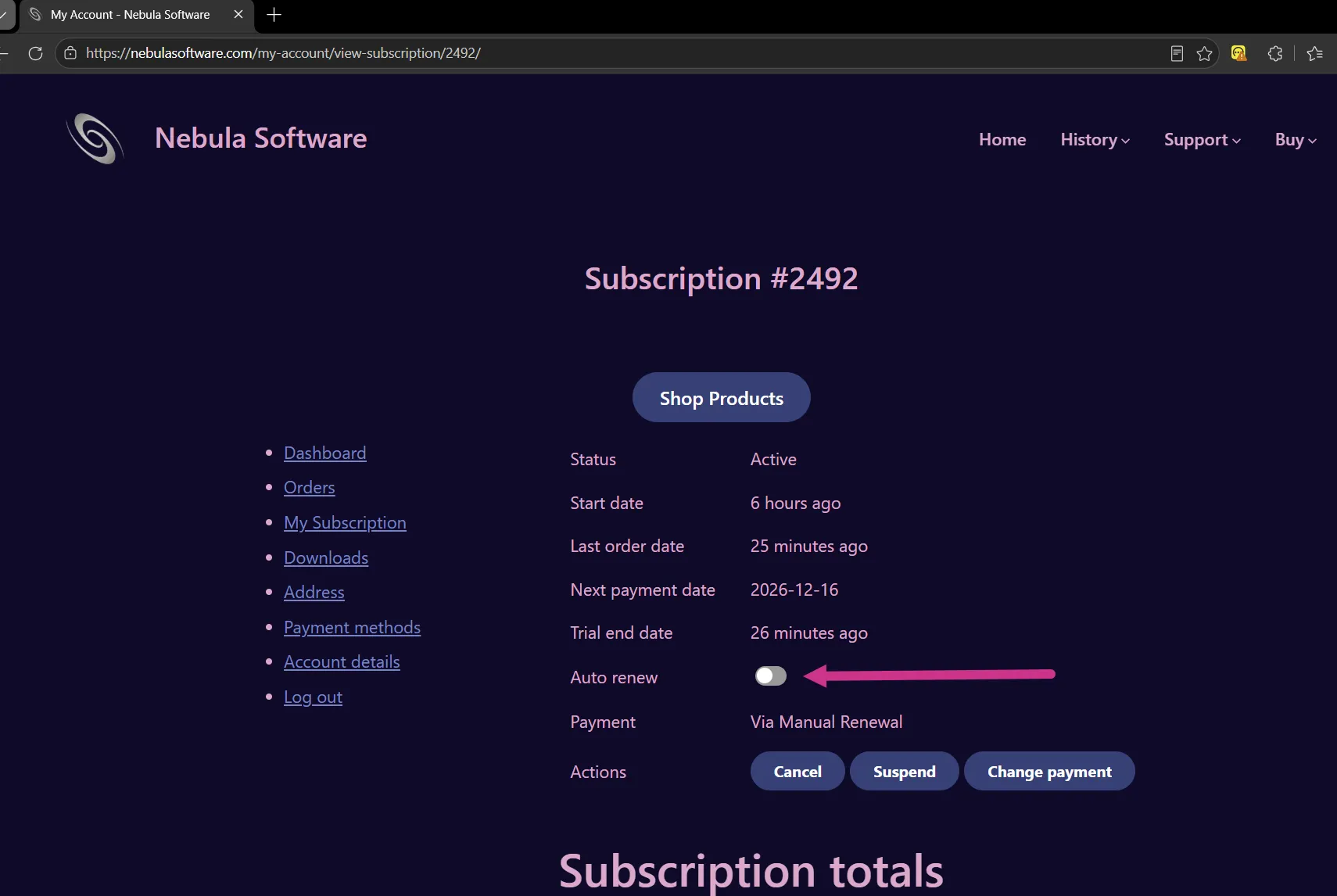
Be sure to turn on "Auto Renew".
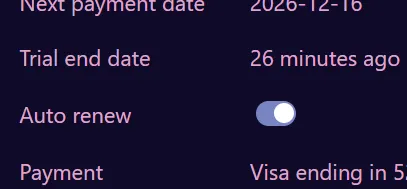
This is what it looks like when it is enabled.
Manage Your Subscription
Alternatively, you can manage your subscription at any time on the "My Account" page.
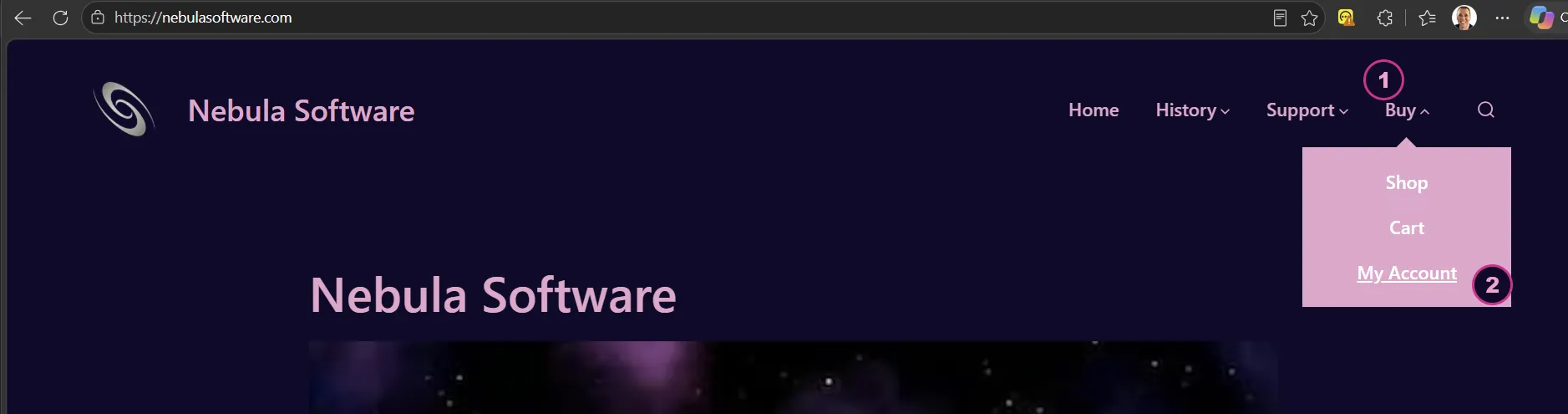
Go to "Buy > My Account" page.
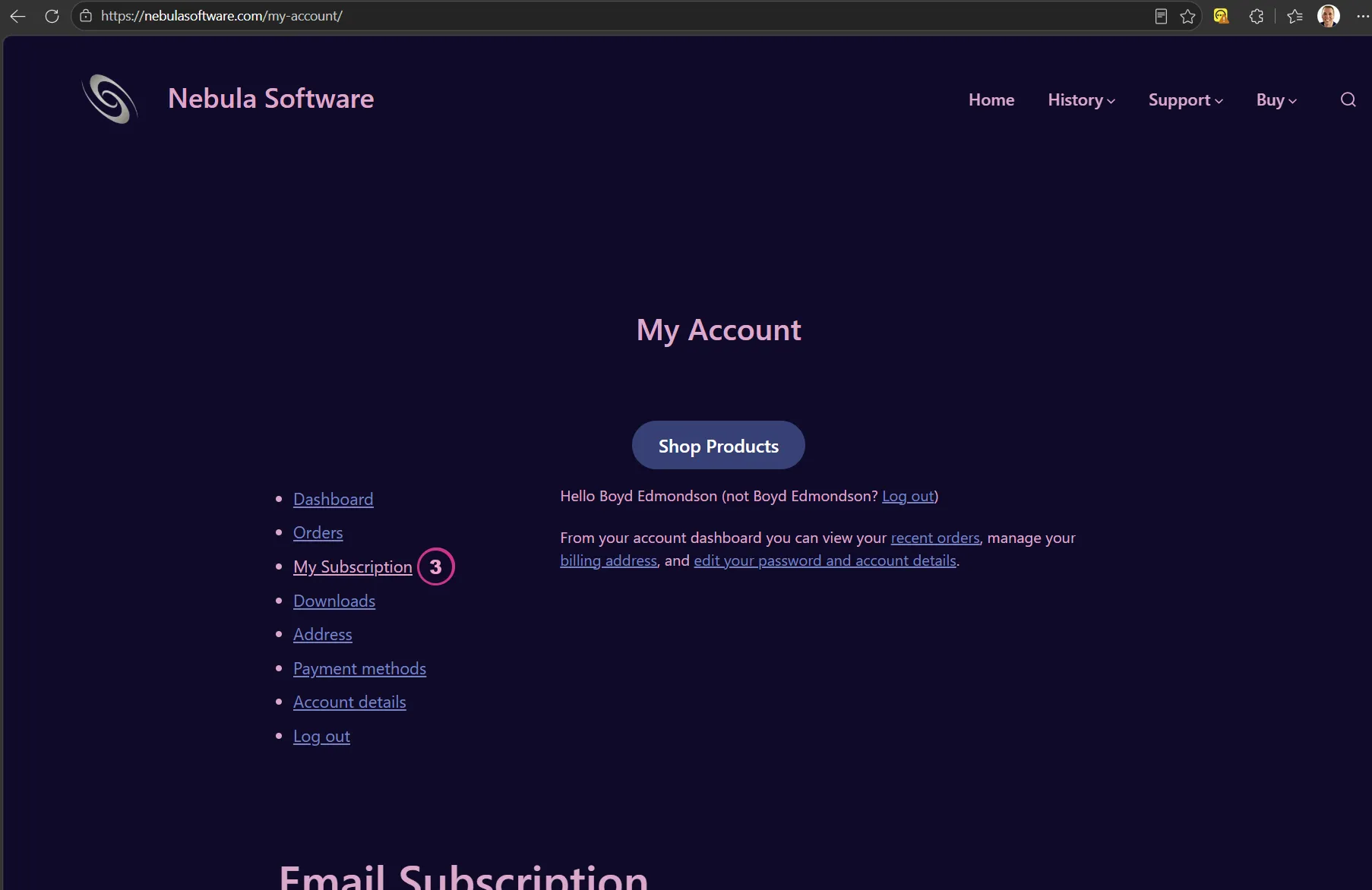
To activate your subscription after your trial ends, select "My Subscription".
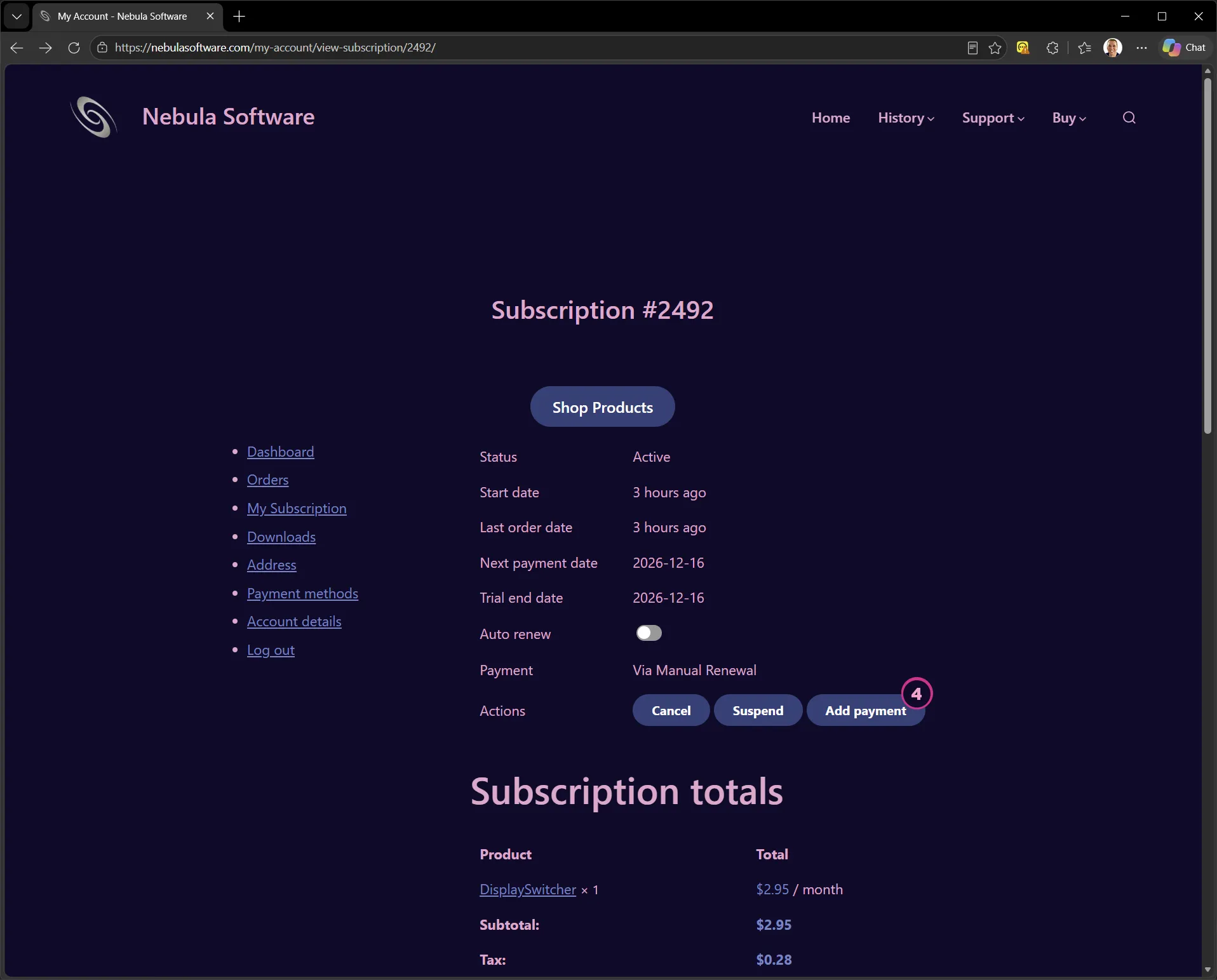
Then select "Add Payment".
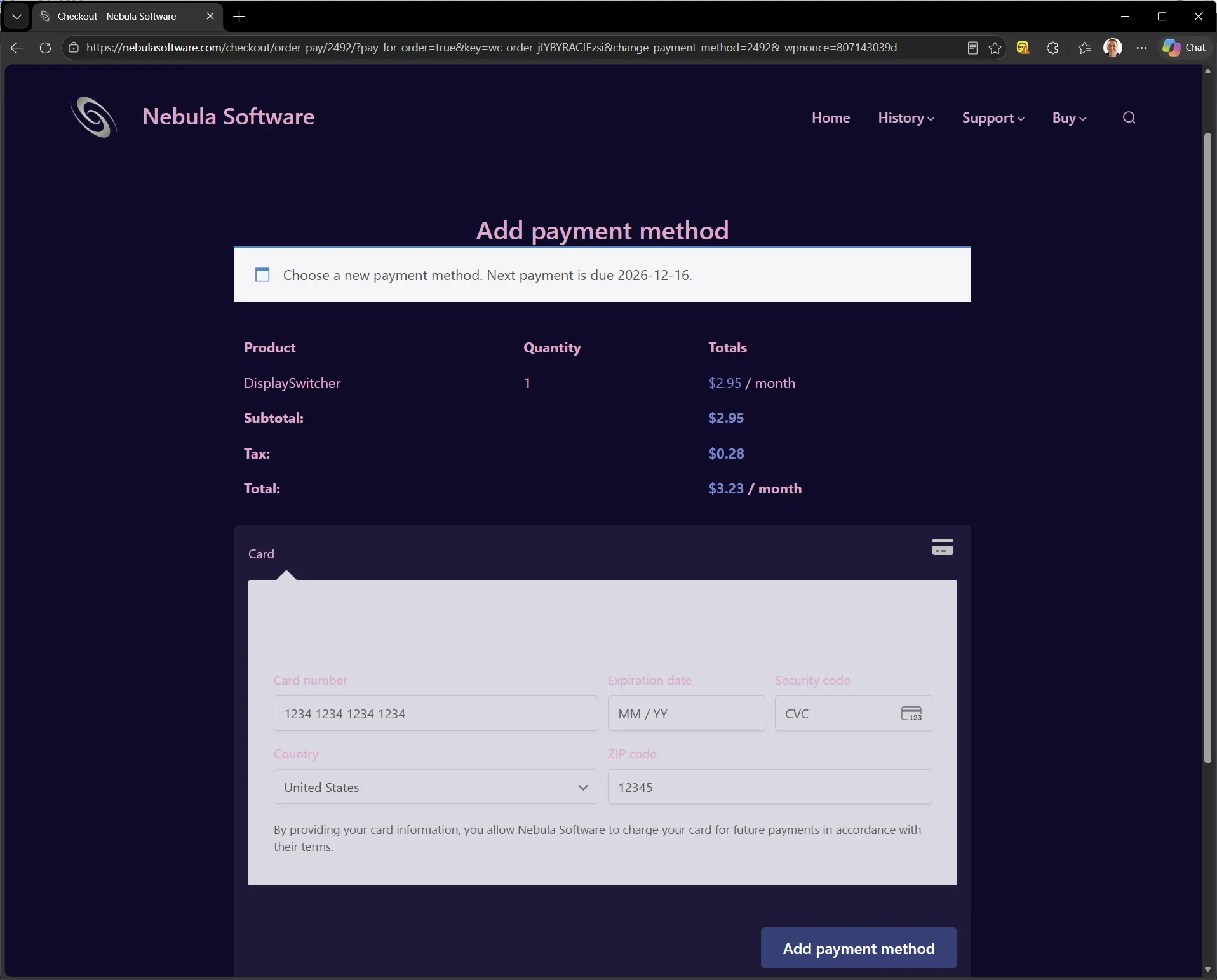
Add your credit card information.
Then turn on "Auto Renew".